

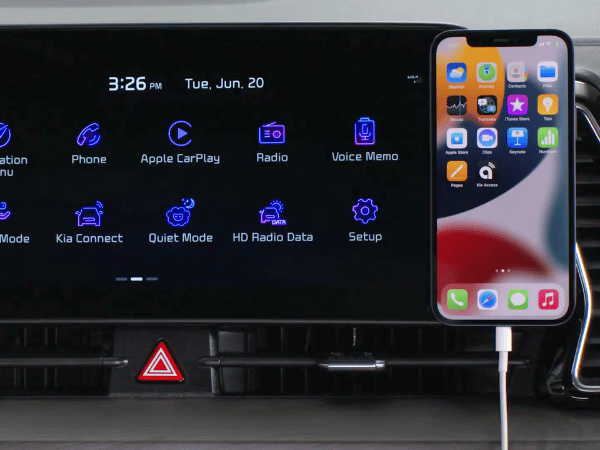
The Benefits of Using Apple CarPlay and Android Auto in Your Kia
Staying connected while driving has never been easier, thanks to Apple CarPlay and Android Auto. These features let you use your phone safely without distractions. Whether you need to make a call, get directions, or listen to your favorite music, Apple CarPlay and Android Auto make it simple. We at Crain Kia of Conway are here to guide you through how these systems work and why they’re great for any Kia driver.
Easy Phone Connection
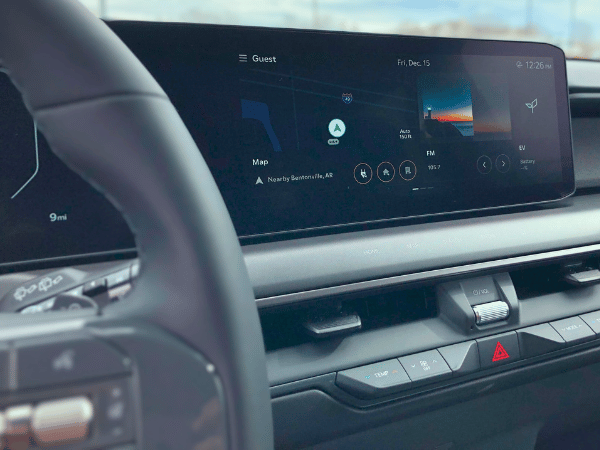
Connecting your phone to your Kia is quick and easy. You can connect up to six devices wirelessly, perfect for families or passengers who want to share their media. Note that some trims will require a wired connection. Both methods give you instant access to your favorite apps and features right on your car’s display screen.
Convenient Access to Apps
Once connected, Apple CarPlay and Android Auto let you use many of your phone’s apps directly through your Kia’s infotainment system. This makes it safer to make calls, send messages, and navigate—all without picking up your phone.
- Make calls and send texts: You can use voice commands to make calls or send texts without taking your hands off the wheel. Ask Siri or Google Assistant to help you, and they’ll do the rest.
- Play music and media: Enjoy your favorite playlists, podcasts, or audiobooks on the go. Apple CarPlay and Android Auto make it easy to access your media apps, including Spotify, Apple Music, and more.
- Get directions: No more fumbling with your phone for directions. Whether you use Apple Maps, Google Maps, or Waze, you can get turn-by-turn navigation right on your car’s screen. Plus, you’ll get real-time traffic updates to help you avoid delays.
Voice Control for Hands-Free Driving
A key benefit of using Apple CarPlay or Android Auto is voice control. Both systems let you use Siri or Google Assistant to do tasks without touching your phone. You can ask for directions, play music, or send a quick message while keeping your eyes on the road. This makes your drive not only more convenient but also safer.
Tips for a Smooth Experience
To get the most out of Apple CarPlay and Android Auto in your Kia, here are a few tips:
- Check compatibility: Make sure your phone is compatible with Apple CarPlay or Android Auto. Most newer smartphones are, but it’s always a good idea to double-check.
- Read your Car’s manual: Each Kia model may work a bit differently, so it’s a good idea to check your vehicle’s manual for specific instructions.
- Stay updated: Keep your phone and apps updated to ensure a smooth connection every time.
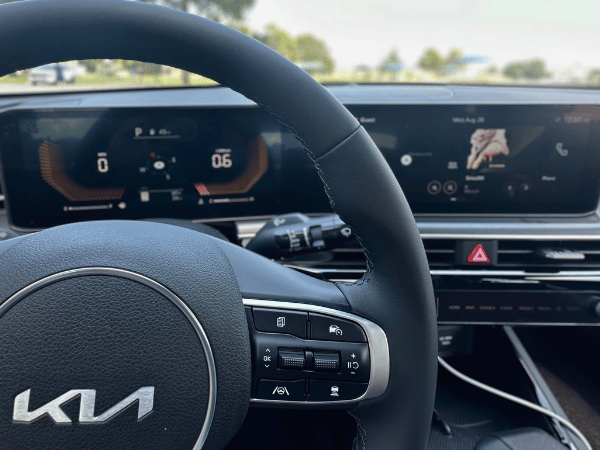
Click here to learn about Kia Connect on our blog.
App Connect: Smart, Safe, and Simple
Apple CarPlay and Android Auto are great additions to Kia vehicles. They help you stay connected, entertained, and informed without taking your focus off the road. Whether you connect wirelessly or use a USB cable, you’ll enjoy a smarter and safer driving experience. So, the next time you’re on the road, let Kia and these handy features make your journey even better.
Stop by Crain Kia of Conway today and test drive the all-new K4 sedan!
Connect with us


Recent Blog Entries
- Kia’s Redesigned Seltos Brings Telluride Styling to Conway’s Compact SUV Segment
- Crain Buys Cars: A Simpler Way to Sell Your Vehicle in Conway
- 2026 Kia Sportage vs Honda CR-V in Conway, AR
- The 2027 Kia EV3 Shows What’s Next for Kia EV Technology
- 2026 Kia Seltos vs 2026 Subaru Crosstrek in Conway, AR
Categories
 Warranties include 10-year/100,000-mile powertrain and 5-year/60,000-mile basic. All warranties and roadside assistance are limited. See retailer for warranty details.