
Keep Your Kia Fresh and Up-to-Date with Over-the-Air Updates
At Crain Kia of Conway, we’re excited to share how Kia’s Over-the-Air (OTA)software updates make it easier than ever to keep your vehicle running smoothly with the latest features. No more trips to the dealership for software updates—this wireless technology lets you upgrade your Kia’s systems right from your driveway. Let’s break down how they work and why they’re a game-changer for Kia owners.
What Are Over-the-Air Software Updates?
Over-the-Air Software Updates are a revolutionary way to care for your Kia. This wireless technology allows you to update, upgrade, and add exciting new features to your vehicle remotely. From enhancing your powertrain system and electric motor to improving your battery management system and ADAS, OTA updates keep your Kia at its best without the need for a dealership visit.
How Do OTA Updates Work?
- Automatic Downloads: Once the download is complete, you’ll get a push notification on the Kia Access app or your car’s infotainment screen. While you’re parked, your Kia automatically downloads the latest software updates wirelessly. No need to schedule a service appointment or interrupt your day—your Kia takes care of it for you.
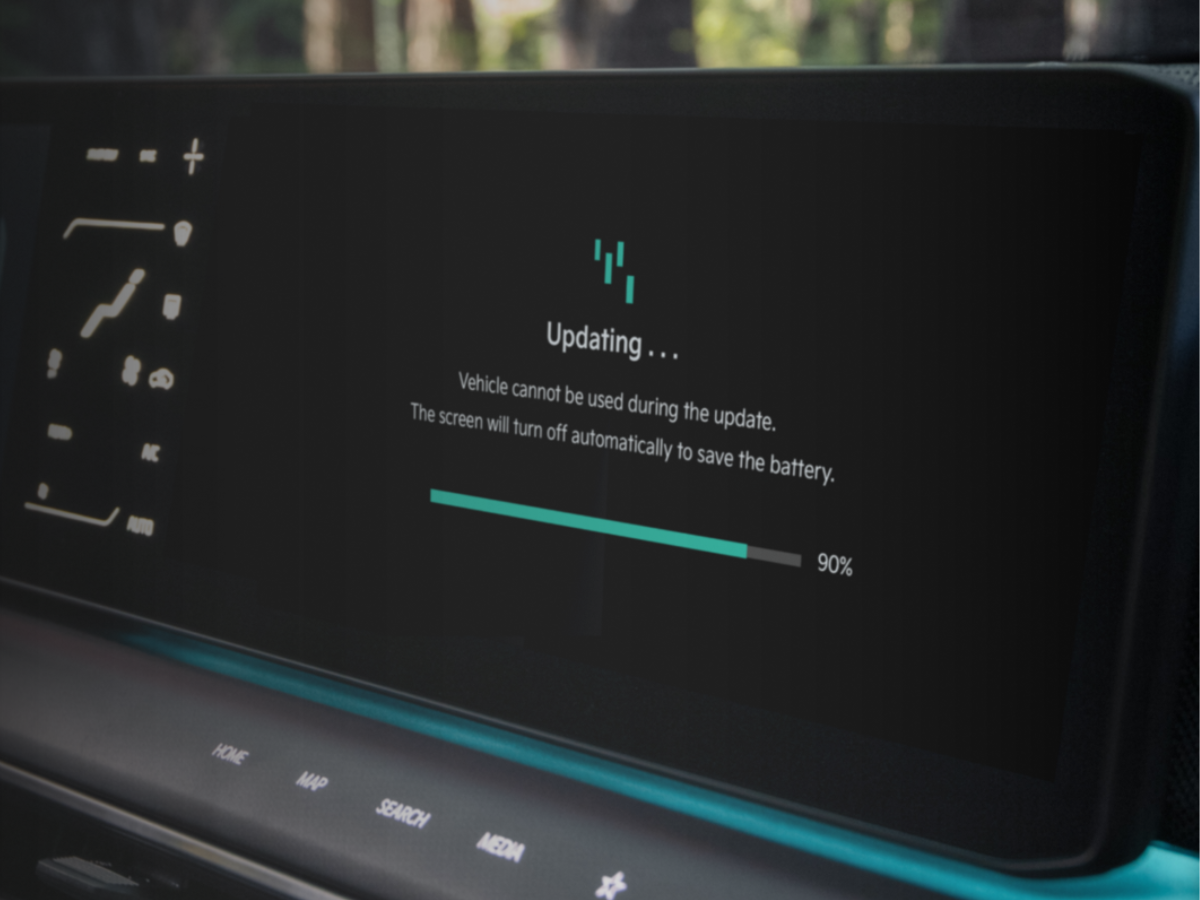
- Easy Installation: When the update is ready to install, you’ll see a prompt on your infotainment screen the next time you turn off your car. The process is simple: just follow the on-screen instructions. Make sure your car is in Park, the parking brake is on, the exterior lights are off, and the hood is closed. Your Kia can’t be driven during the update, so pick a safe spot like your driveway or garage.
- Check Progress and Completion: You can monitor the installation progress on your infotainment screen. Once the update is finished, you’ll get a push notification on your phone, and a QR code will appear on your car’s screen. Scan the code to see what’s new! Whether it’s improved performance, new features, or enhanced safety tech, you’ll know exactly what’s been added to your Kia.
How to Get Started with OTA Updates
- Check Your Eligibility: First, make sure your Kia is eligible for OTA updates. You can check this by entering your vehicle identification number (VIN) or model details on Kia’s website.
- Activate Your Kia Connect Subscription: To use OTA updates, you’ll need an active Kia Connect subscription. This service keeps your car connected and ready to receive updates.
- Enjoy Automatic Updates: Once everything is set up, your Kia will handle the rest. Updates will download automatically, and you’ll get notifications when they’re ready to install. If you ever need help, the team at Crain Kia of Conway is here to guide you.
Why Choose Crain Kia of Conway?
We’re proud to help Kia owners in Conway and nearby areas like Maumelle, AR, get the most out of their vehicles. Whether you’re shopping for a new Kia or need assistance with your current one, our team is here to make your experience easy and enjoyable.
Drive Smarter with OTA Updates
Kia’s Over-the-Air updates are all about convenience and keeping your car at its best. With just a few taps on your screen, you can ensure your Kia is always running smoothly, safely, and with the latest features. From enhancing your powertrain system and battery management to upgrading your advanced driver assistance systems, OTA updates put you in control of your Kia’s evolution.
Ready to experience the benefits of OTA updates? Visit Crain Kia of Conway today to learn more or shop our selection of new Kia vehicles. Your smarter, more connected driving experience starts here!
 Warranties include 10-year/100,000-mile powertrain and 5-year/60,000-mile basic. All warranties and roadside assistance are limited. See retailer for warranty details.